How to Write the Perfect Prompt for AI Map Generation
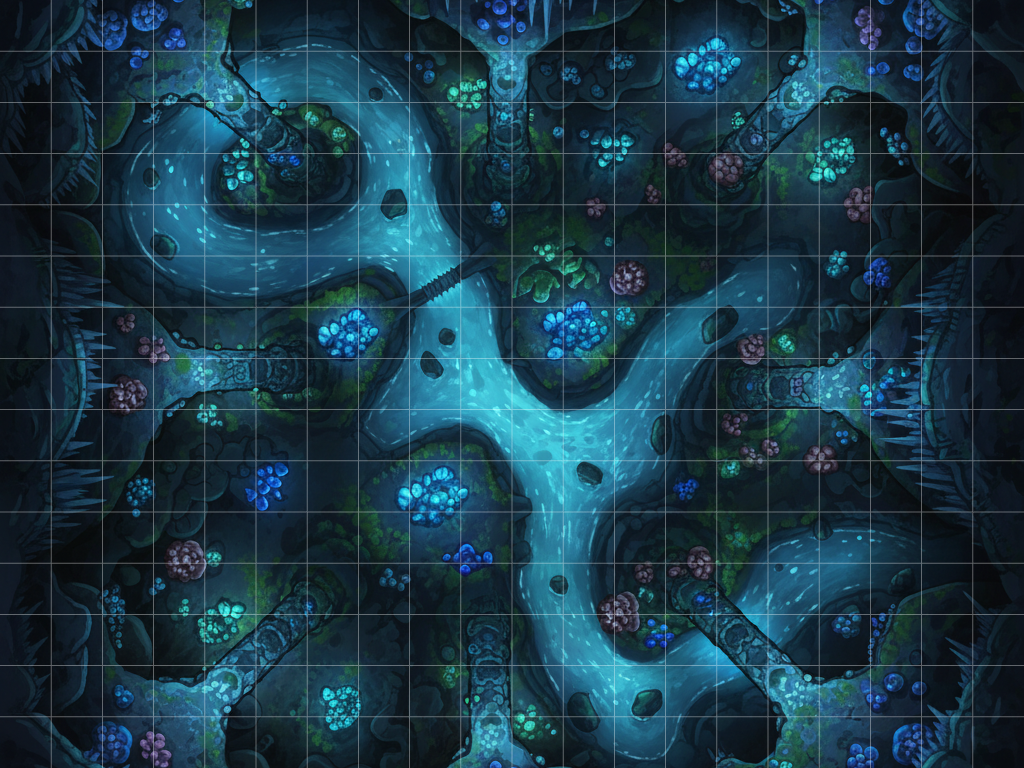
Every Dungeon Master knows the struggle: you have an incredible encounter planned, but you just can't find the right battlemap to match your vision. AI image generators like Midjourney, DALL-E 3, and Stable Diffusion seem like the perfect solution, but if you've ever tried to use them for tabletop RPGs, you know the frustrating reality.
Instead of a usable, tactical grid, generic AI tools often give you tilted, isometric landscapes, confusing perspectives, or random monsters standing in the middle of your dungeon.
Getting an AI to create a functional map isn't about throwing random fantasy words at an engine; it requires a highly structured prompt. In this guide, we will break down the exact formula for writing the perfect AI map prompt, the keywords you need to know, and the secret to skipping the hardest parts entirely.
The Anatomy of a Tabletop AI Prompt
A standard AI image generator wants to make "pretty art," not functional game assets. To wrangle it into submission, your prompt must dictate strict structural rules before you even begin describing the room.
1. The Perspective (The Hardest Part)
If you just type "a fantasy tavern," the AI will generate a picture taken from human eye-level. To play your campaign, you need the camera hovering near the ceiling looking at the floor.
The Manual Way: If you are using a generic AI generator, you must heavily weight your prompt with structural keywords. You need to include terms like:
- Top-down view
- Birds-eye view
- Orthographic perspective
- Strict 90-degree camera angle
- Flat 2D floorplan
The Easy Way: Getting an AI to lock strictly to 90 degrees without a slight isometric tilt can take dozens of frustrating rerolls. This is exactly why we built Text to Tabletop. Our engine natively locks the camera to a perfect 2D, overhead floorplan under the hood. When using our tool, you never have to waste prompt space typing "top-down" again.
2. Grid Management and Clean Maps
AI is notoriously terrible at drawing perfect 1-inch squares. If you ask an AI to include a grid, the lines will be warped, uneven, and impossible to align with your Virtual Tabletop (VTT) like Roll20 or Foundry.
Furthermore, generic AI loves to populate rooms with random people. You don't want a static, painted-on bartender confusing your players during combat.
The Fix: You must use negative prompting (e.g., --no grid lines, characters, humans, monsters). If you are using Text to Tabletop, our engine automatically strips grids and rogue NPCs from the image, giving you a completely clean slate ready for your VTT's native grid overlay.
The Creative Layer: What You Actually Need to Focus On
If your structural baseline is handled (either through heavy manual keywords or by using Text to Tabletop), you can finally focus on the fun part: creating the environment. The perfect creative prompt focuses on three core elements.
Be Hyper-Specific with Environments and Materials
The AI fills in the blanks. If you are vague, it will give you a generic, boring result. Tell the AI exactly what materials the room is made of and what key features are inside.
- Weak: "A tavern."
- Perfect: "A circular wooden tavern built around the trunk of a massive petrified oak tree, cobblestone floor, scattered circular wooden tables, a large stone hearth."
Dial in the Lighting and Atmosphere
Lighting is the easiest way to elevate a map from "okay" to "immersive." Use lighting keywords to dictate the mood of the encounter.
- Keywords to try: Illuminated by glowing green braziers, harsh directional shadows, grimdark atmosphere, thick fog creeping in from the edges, bioluminescent fungi, dappled sunlight.
Define the Art Style
Do you want a map that looks like a hand-drawn parchment, or a hyper-realistic 4K render? Specify the artistic medium at the end of your prompt.
- Keywords to try: Watercolor fantasy, classic inkarnate style, highly detailed digital painting, hand-drawn crosshatch, 8-bit retro RPG, photorealistic.
Prompt Examples: Before & After
Let's look at the difference a highly optimized prompt makes.
The Bad Prompt
"A wizard's tower."
The Result: A generic AI will likely draw a picture of a tall stone tower from the outside, standing in a field. It is a beautiful picture, but completely useless for a tabletop combat encounter.
The Perfect Prompt (Optimized for Text to Tabletop)
"The top-floor study of an arcane wizard's tower, a massive glowing summoning circle in the center of the room, bookshelves lining the circular walls, scattered glowing purple crystals, illuminated by magical blue light, highly detailed digital fantasy art style."
(Note: Because Text to Tabletop handles the "overhead 90-degree" rule automatically, you don't need to waste time typing it here).
The Result: A stunning, perfectly top-down battlemap of a circular room, featuring clear obstacles (bookshelves) and a central focal point (the summoning circle) perfectly suited for tactical combat.
Advanced Troubleshooting: Iterative Prompting
Even with the perfect prompt, you might need to make adjustments.
- Map too cluttered for combat? Add phrases like "open space in the center, wide floorplan, clear pathways" to ensure your miniatures have room to move.
- Colors too washed out? Add "vibrant colors, high contrast, vivid hues."
- The Golden Rule: Only change one or two words at a time. If you rewrite the entire prompt, you won't know which keyword fixed (or broke) the generation.
Stop Fighting the Camera, Start Forging
Writing the perfect prompt for generic AI image generators is a constant battle against perspective and isometric tilting. Your prep time is valuable, and you shouldn't spend it trying to convince a computer what "top-down" means.
Let the AI handle the art, and let us handle the structure. Try Text to Tabletop's Map Generator today and turn your campaign ideas into table-ready battle maps in seconds.
Tyler V
Lead Developer and UX Designer at Text to Tabletop. Passionate about helping GMs and players create better TTRPG experiences.